Browse sessions
Refresh session summaries, open a conversation, and read visible message history.
Native workspace for pi
Pi Client brings session browsing, prompts, live output, and run control into an early native macOS workspace.
Universal ZIP for Apple silicon and Intel Macs
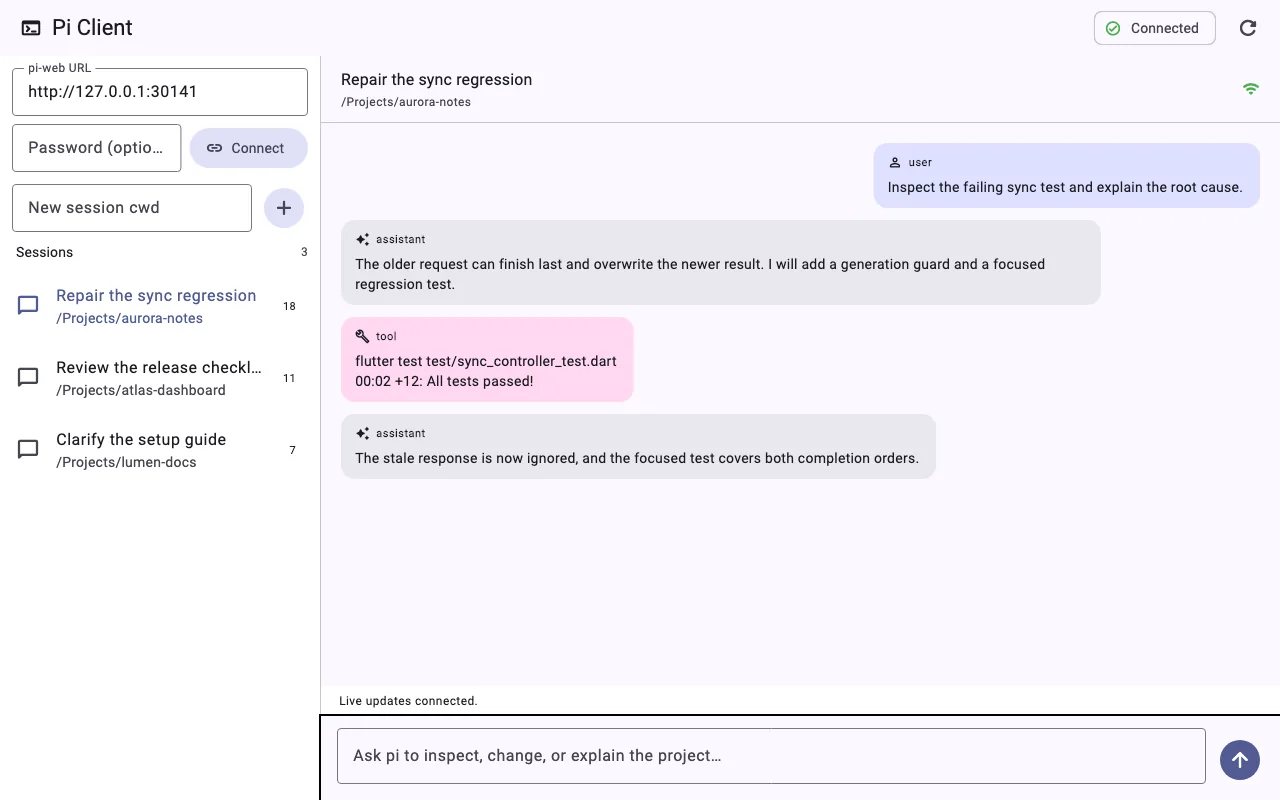
A real Flutter render with synthetic project paths, sessions, prompts, and agent output.
Current capabilities
The preview focuses on the actions already supported by the current macOS MVP.
Refresh session summaries, open a conversation, and read visible message history.
Create a session for an absolute project path and send the next prompt.
Watch assistant updates arrive through the selected session event stream.
Interrupt the current agent run without leaving the desktop workspace.
How it works today
The current preview uses pi-web 0.8.11 for session and runtime access. Pi Client does not read pi session files directly.
Pi-web compatibility is an early bridge, not Pi Client’s long-term product identity. A future versioned, Pi SDK-based transport remains planned; this release does not include WebAssembly support.
 Pi ClientmacOS
Get started
You need macOS 11 or newer, pi-web 0.8.11, and a working pi model-provider configuration.
Run npx @agegr/pi-web@0.8.11 --no-open and keep it available.
Download the Universal ZIP, extract Pi Client.app, and review the unsigned-preview warning.
Open the app, enter the pi-web URL and optional password, then select Connect.
Security boundary
Pi-web can expose an agent with the host process’s project and tool permissions. Treat the endpoint as privileged infrastructure.
Pi Client is open source and early. Use GitHub Issues for bugs, compatibility reports, and feature requests.